

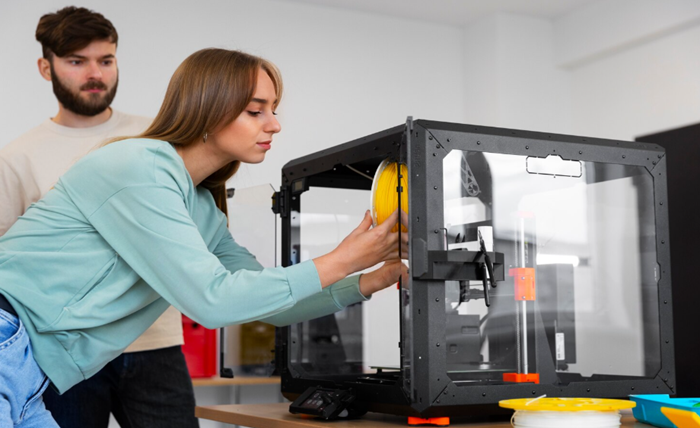
The world of desktop Fused Deposition Modeling (FDM) has evolved at a blistering pace. What was once a niche hobby confined to the workbenches of hardcore tinkerers and engineers is now a highly accessible, creative outlet for millions of people around the globe. Watching a digital file materialize into a physical object layer by layer never loses its magic. However, as beginners grow more comfortable with their machines and their ambitions expand, they often collide with a fundamental physical limitation of standard desktop manufacturing: printing in only one material at a time.
If you want to print a red and black race car on a standard machine, you typically have to print the entire object in a single solid color and spend hours meticulously painting it by hand. If you want to create a rigid box with a flexible rubber hinge, you must print the two parts separately and glue them together.
But what if your machine could juggle two entirely different materials or colors simultaneously? This is where the 3D printing industry takes a massive leap forward. By moving from single extrusion to dual extrusion, you completely change the rules of what can be manufactured at home. In this comprehensive guide, we are going to explore the critical differences between single and dual extrusion systems, and why adding a second nozzle unlocks a universe of new creative possibilities.
The Standard Workhorse: Single Extrusion
When you purchase a traditional, entry-level 3D printer, it will almost certainly be a single-extrusion machine. This means the print head features one extruder gear system, one heating block, and one nozzle. It feeds a single spool of plastic filament at any given time.
The Advantages:
Single extrusion is the undisputed gold standard for beginners because it is incredibly straightforward. It is highly cost-effective, easy to calibrate, and simple to maintain. With only one nozzle to level against the print bed and one temperature profile to monitor, the learning curve is gentle. Furthermore, with fewer moving parts and less weight on the print head, these machines are often very reliable workhorses for producing single-material structural parts, prototypes, and basic models.
The Limitations:
The primary drawback is the restriction to a monochromatic, mono-material workflow. While it is technically possible to pause a single-extrusion print midway, pull the old filament out, and push a new color in (a technique known as a “manual filament swap”), this workaround has severe limitations. Manual swaps only allow for horizontal color changes across the Z-axis. You cannot, for example, print a red object with vertical blue stripes using this method. Additionally, single extrusion makes printing highly complex geometries quite difficult due to how “support structures” must be handled—a challenge we will explore shortly.
Enter Dual Extrusion: Two Hands Are Better Than One
Dual extrusion is exactly what it sounds like: a 3D printing system equipped with two separate extrusion setups. This allows the machine to pull from two different spools of filament during the exact same print job, switching back and forth as needed.
Historically, this was achieved by cramming two nozzles tightly next to each other on a single, heavy print head. However, modern engineering has introduced a far superior solution known as IDEX (Independent Dual Extruders). In an IDEX system, the two print heads sit on the same horizontal X-axis rail but move entirely independently of one another. When Nozzle A is actively printing, Nozzle B parks itself safely off to the extreme side of the machine so it does not accidentally drip plastic or knock into your model.
So, what exactly can you achieve with this advanced hardware?
1. Seamless Multi-Color Printing
For hobbyists, cosplayers, educators, and tabletop gamers, aesthetics are everything. Sanding, priming, and hand-painting 3D printed parts takes an immense amount of time, patience, specialized equipment, and artistic skill.
Investing in a dedicated Color 3D printer equipped with an IDEX system allows you to map different colors to different parts of your digital model before you ever hit the print button. The machine handles all the heavy lifting. It will print the red sections with the first nozzle, seamlessly switch to the second nozzle for the black sections, and continue this intricate dance layer by layer. The result is a vibrant, multi-toned object straight off the build plate with zero post-processing, masking tape, or painting required.
2. The Game Changer: Water-Soluble Supports
To truly appreciate the power of dual extrusion, you must understand the concept of “overhangs.” Gravity is the ultimate enemy of FDM printing; a printer cannot extrude molten plastic into thin air. If you try to print a model of a person holding their arm straight out, the printer needs to build a temporary plastic scaffolding underneath that arm to hold the material up while it cools. This scaffolding is called a “support structure.”
In single extrusion, the supports are printed using the exact same plastic as the final model. Once the print is finished, you have to physically break these supports away using pliers and craft knives. This often leaves ugly scars, rough surfaces, and white stress marks on your otherwise perfect print, potentially ruining delicate details.
Dual extrusion completely eliminates this headache. You can load your primary building material (like standard PLA) into the first nozzle, and load a special, water-soluble material (like PVA – Polyvinyl Alcohol) into the second nozzle. The printer will intelligently use the second nozzle to print all the temporary scaffolding. When the print is finished, you simply drop the entire object into a container of warm tap water. After a few hours, the PVA scaffolding dissolves away like an aspirin tablet, leaving you with a flawless, unblemished model, no matter how complex or seemingly impossible the geometry is.
3. Multi-Material Engineering
For those interested in functional engineering, robotics, or practical household solutions, dual extrusion allows you to combine vastly different material properties into a single, cohesive part.
Imagine you are designing a custom wheel for a robotics project. With dual extrusion, you can load a rigid, tough plastic into the first nozzle to print the solid inner hub of the wheel. Simultaneously, you can load a flexible, rubbery material like TPU into the second nozzle to print the outer tire. Because the machine lays these plastics down together while they are still hot, the two materials fuse permanently. You instantly create a single mechanical part with a hard, load-bearing core and a soft, shock-absorbing, grippy exterior—something practically impossible to achieve with a single nozzle without relying on messy glues and fasteners.
The Software Mechanics: Prime Towers and Ooze Shields
It is important to note that printing with two materials requires a bit of clever software management. When a nozzle is parked and waiting for its turn, the plastic inside is still molten and can slowly ooze out.
To prevent colors from bleeding into one another or leaving blobs on your print, dual-extrusion slicing software utilizes “Prime Towers.” A prime tower is a small, sacrificial block of plastic printed on the far edge of the build plate. Every time the printer switches from the left nozzle to the right nozzle, it drives over to the prime tower and wipes the new nozzle. This ensures the plastic is flowing smoothly and the color is perfectly pure before the nozzle touches your actual model. While this does consume a small amount of extra filament, the pristine, professional-grade results are more than worth the trade-off.
Conclusion
Single extrusion is the fundamental starting point for learning FDM technology, offering an affordable and highly educational entry into the hobby. However, making the leap to a dual-extruder or IDEX machine opens up a universe of creative and mechanical possibilities. It frees you from the frustrating constraints of monochrome printing, eliminates the tedious and damaging process of manual support removal, and allows you to engineer complex, multi-material solutions. By stepping up your hardware game, you transform your desktop 3D printer from a simple prototyping tool into a true, miniature manufacturing powerhouse.